


- Professional assessments
- Important Documents
- Insurance policies
- Property deeds
- Contractor agreements
- Permits
- Warranties
Digital Tools and Platforms
Recommended Applications
Property Documentation Apps
- Sortly: Detailed inventory management
- Encircle: Property condition documentation
- DocuSign: Document signing and storage
- PandaDoc: Document management
- Evernote: General documentation
Cloud Storage Solutions
- Google Drive
- Dropbox
- OneDrive
- iCloud
- Box
Pro Tip: Use multiple backup methods for critical documentation. We recommend at least one cloud solution and one local backup.
Creating Your Digital System
Step-by-Step Implementation
- Choose Your Platform
- Select primary storage solution
- Set up backup systems
- Install necessary apps
- Configure security settings
- Test accessibility
- Organize Your Structure
- Create main categories
- Establish subcategories
- Set up naming conventions
- Define access levels
- Create workflow processes
- Document Your Property
- Photograph all areas
- Record item details
- Scan important documents
- Create maintenance logs
- Store warranty information
Best Practices for Digital Documentation
Organization Methods
- Consistent file naming
- Clear folder structure
- Regular updates
- Version control
- Access management
Security Measures
- Strong passwords
- Two-factor authentication
- Encrypted storage
- Regular backups
- Access monitoring
Special Considerations for Properties
Local Environmental Factors
- Moisture protection
- Seismic documentation
- Weather impact records
- Environmental conditions
- Seasonal changes
Regional Requirements
- Building codes
- Permit documentation
- Inspection records
- Historical designations
- Zoning requirements
Documentation During Property Changes
Updates and Improvements
- Before and after photos
- Contractor information
- Permit documentation
- Cost records
- Material specifications
Maintenance Records
- Service dates
- Provider information
- Work performed
- Costs involved
- Future recommendations
Emergency Response Integration
Quick Access Planning
- Emergency contact list
- Insurance information
- Property access details
- Utility shutoffs
- Emergency procedures
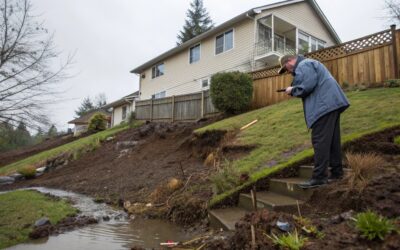
Restoration Documentation
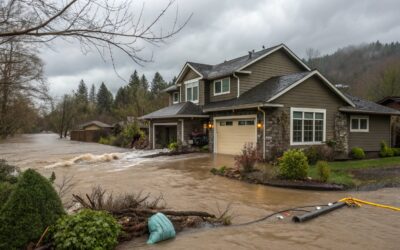
- Initial damage photos
- Mitigation steps
- Recovery progress
- Cost tracking
- Communication logs
Professional Integration
Working with Service Providers
- Share relevant documentation
- Grant temporary access
- Track service history
- Store agreements
- Document results
Insurance Coordination
- Policy information
- Claim history
- Property updates
- Value documentation
- Communication records
Maintaining Your System
Regular Updates
- Monthly reviews
- Quarterly backups
- Annual assessments
- System testing
- Security checks
Special Event Documentation
- Property changes
- Major purchases
- Improvements
- Damage incidents
- Insurance updates
Advanced Features to Consider
Automation Options
- Scheduled backups
- Update reminders
- Version control
- Access logs
- Security alerts
Integration Capabilities
- Smart home systems
- Security cameras
- Maintenance apps
- Insurance portals
- Property management software
Implementing Your System
Getting Started
- Assess current documentation
- Choose primary platform
- Set up organization
- Begin documentation
- Establish routines
Ongoing Management
- Regular updates
- System checks
- Security reviews
- Access control
- Backup verification
Professional Support
At Pacific Water & Fire Restoration, we understand the importance of proper documentation. Our team can help:
- Establish documentation systems
- Create emergency protocols
- Provide professional documentation
- Assist with claims
- Guide recovery processes
Emergency Response Support
When damage occurs, proper documentation is crucial. Our 24/7 team can help:
- Document initial damage
- Track recovery progress
- Coordinate with insurance
- Maintain restoration records
- Provide professional documentation
Next Steps
Take action to protect your property:
- Choose your digital platform
- Start basic documentation
- Develop organization system
- Create backup procedures
- Establish update routines
Need Professional Guidance?
- Call us 24/7 at 503-201-7337
- Schedule a documentation consultation
- Request our digital system guide
- Join our property protection network
Remember, effective digital documentation isn’t just about technology – it’s about creating a system that works when you need it most. Start building your digital documentation system today, and ensure you’re prepared for whatever tomorrow brings.
For immediate assistance or questions about property documentation and restoration, contact Pacific Water & Fire Restoration at 503-201-7337. Our certified professionals are available 24/7 to help protect and restore your property.